Research-Backed Choices

HP has stepped back into the tablet market with the OmniPad 12, and while there is plenty to like here, the tablet also feels like a first attempt in some areas. Not because of the hardware, but because of the overall design and, more importantly, the software experience.
The OmniPad 12 is clearly designed to do more than just stream videos and browse the web. It comes with a detachable keyboard and trackpad, along with a desktop mode that automatically activates when you attach the keyboard. HP is clearly positioning this as a device that can replace your laptop for basic work.
I have been using the OmniPad 12 as both a tablet and a work machine, and there are several things I genuinely like about it. However, the software experience isn't as smooth as I expected from HP, and that makes the tablet's laptop replacement ambitions harder to justify.
HP OmniPad 12 specifications
1. OnePlus Pad 2 (12.1 Inch),12GB RAM, 256GB Storage Snapdragon 8 Gen 3,144Hz Refresh Rate, 6 Speakers, 3K 12.1 Display, AI Features, 9610 mAh Battery, Wi-Fi with Cellular Data Sharing [Nimbus Gray]
The metal build feels premium
The build quality is one of the first things I liked about the OmniPad 12. The entire tablet is made from metal and it feels solid in the hand. At around 600 grams, it is also reasonably easy to carry considering the 12 inch display.
The tablet itself is about 7.3mm thick and feels well balanced. Add the keyboard cover and the complete package gets close to 1.2kg, so it starts feeling more like a small laptop than a conventional tablet.
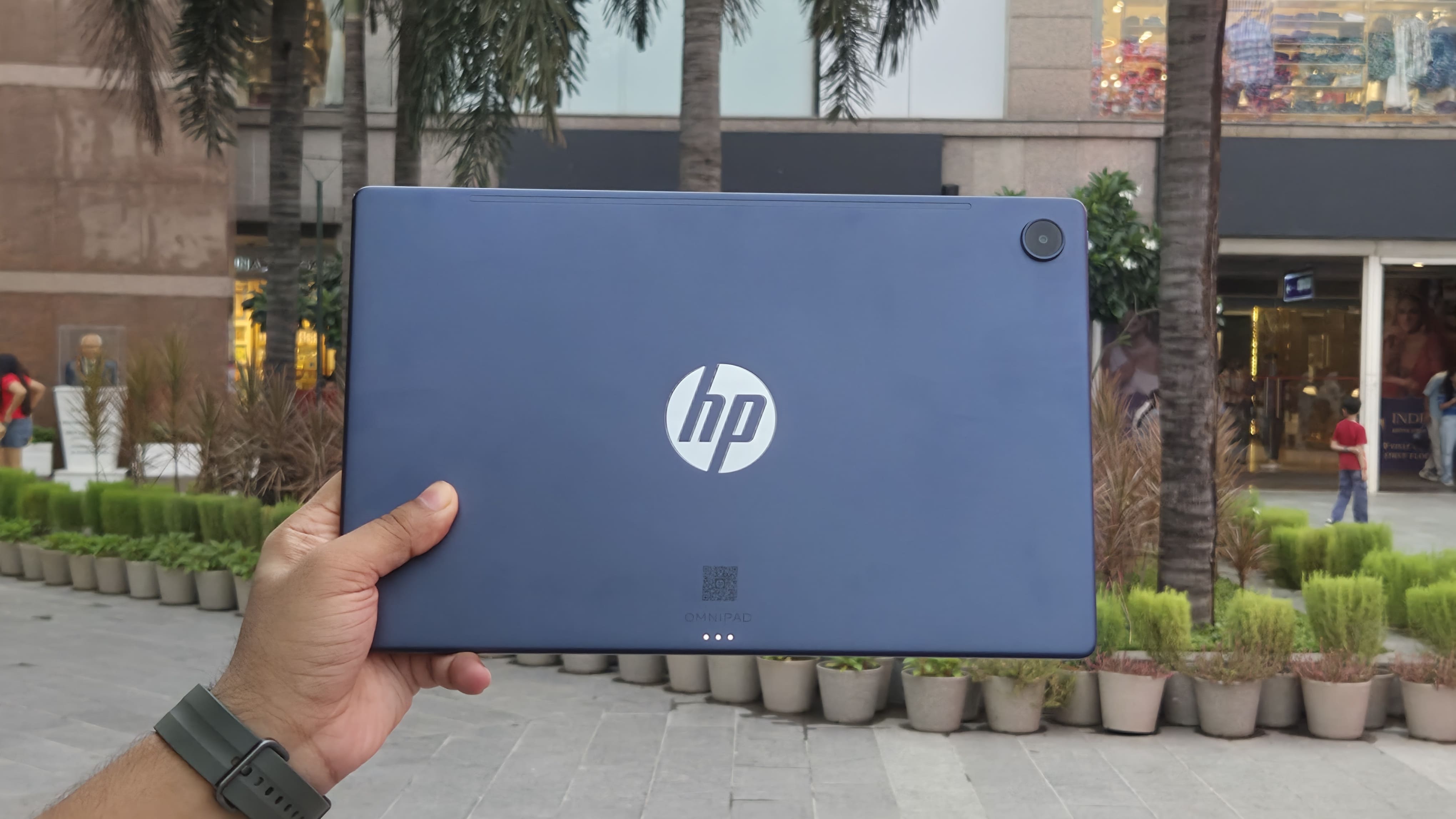
There is a USB Type C port for charging and data, a microSD card slot for storage expansion and a 3.5mm headphone jack. You also get four speakers positioned around the tablet.
My only complaint about the design is the display bezels. They are quite thick for a 2026 tablet, and this makes the OmniPad 12 look a little dated from the front.
The display is good, but not exceptional
The 12 inch 2K LCD is perfectly good for everyday use. It has a 2000 x 1200 resolution, 90Hz refresh rate and 400 nits of brightness. HP also claims 100% sRGB coverage.
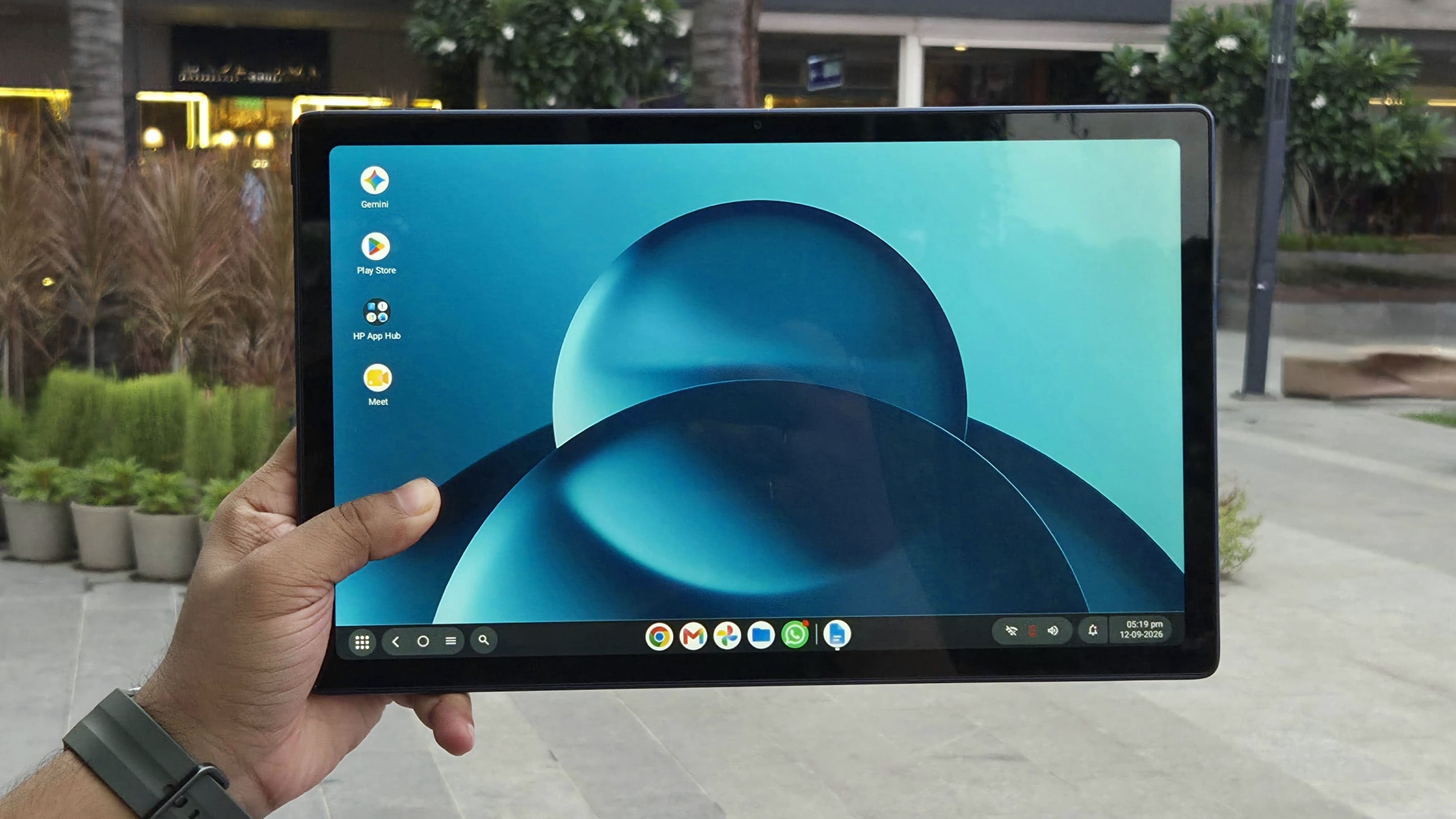
I found the display bright enough for indoor use and the 90Hz refresh rate makes scrolling feel smooth. Text is sharp and videos look good, although this isn't an OLED panel, so you don't get the contrast and deep blacks found on some competing tablets.
The display itself isn't a major problem for me. The thick bezels are more noticeable, particularly when you compare it with newer tablets in this price range.
The keyboard cover is a big advantage
This is probably one of the biggest reasons to consider the OmniPad 12. HP includes the keyboard cover in the box, so you don't have to spend extra money to turn it into a productivity device.
The cover feels well made and includes a keyboard and trackpad. The keyboard isn't the best I've ever used on a tablet, but I could comfortably work on it. The keys are slightly firmer than I personally prefer, although I got used to them quickly.
The trackpad is less impressive. It works, but I found myself using the touchscreen much more often. Still, having a keyboard and trackpad included makes the OmniPad 12 a much more complete package.
The software is my biggest problem
The OmniPad 12 runs Android 16 and has two modes. Tablet Mode gives you the normal Android interface, while attaching the keyboard automatically switches the tablet to Desk Mode. The latter gives you a more desktop-like interface with windowed applications and multitasking.
I found the software glitchy at times, with occasional lags and inconsistencies in the interface. The hardware itself didn't feel particularly slow during my testing, but the software occasionally made it feel that way.
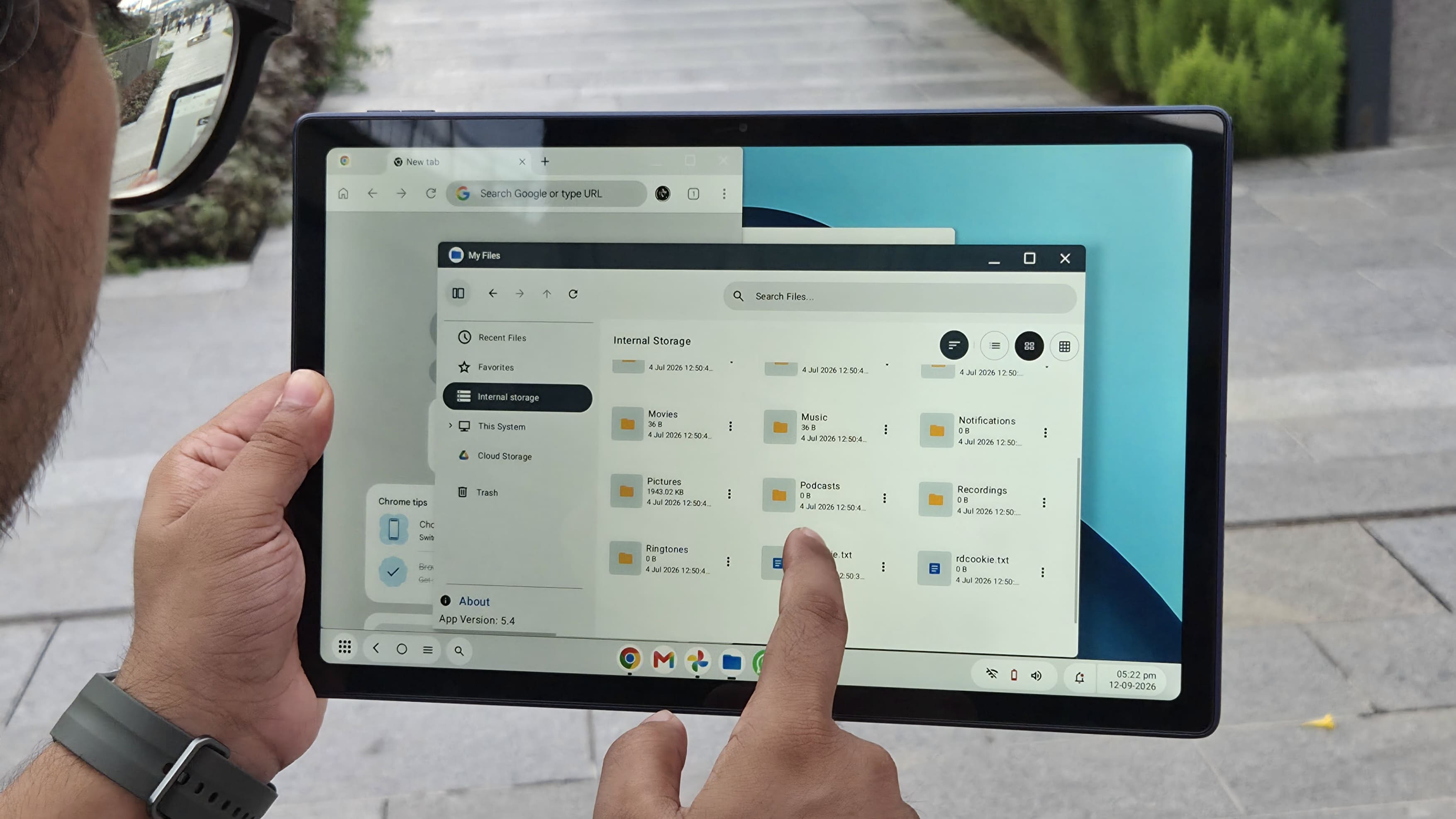
Chrome, for example, ran fairly smoothly with multiple tabs and applications opened quickly enough. My problem was the occasional UI stutter and general lack of smoothness.
That's surprising because HP generally does a good job with the software experience on its Windows laptops. I expected a similar level of polish here, but the OmniPad 12 still feels like it needs more optimisation.
Performance is decent for everyday work
The OmniPad 12 uses the Snapdragon 6 Gen 3 with 8GB RAM. This is a low to mid range smartphone processor, so I wasn't expecting flagship tablet performance. For everyday work, though, it does surprisingly well.
I used Chrome with multiple tabs, worked on documents and switched between applications without major performance problems. Apps opened quickly and the tablet was perfectly usable for basic productivity. So I wouldn't buy this expecting flagship performance, but for browsing, documents, streaming and basic multitasking, the performance is adequate.
The speakers are excellent
The quad speaker system is easily one of my favourite things about the OmniPad 12. They get loud and, more importantly, they sound good. There is enough volume to fill a room without the audio becoming unpleasant at higher levels.
I often left the tablet on my desk and played music through it for hours while working. That's something I don't usually do with tablets, particularly in this price segment.
The speakers are also useful for watching movies and YouTube, where the large display and good stereo separation make the OmniPad 12 a nice entertainment device.
Cameras are fine for a tablet
The OmniPad 12 has a 13MP rear camera and an 8MP front camera. Neither is particularly impressive, but I don't think that is a major issue.
You're unlikely to use a 12 inch tablet as your primary camera, and the cameras are perfectly adequate for documents and video calls. The front camera is more useful here, especially for people who plan to use the OmniPad for work meetings.
Battery life is very good
The 31Wh battery might look small on paper, but battery life has been one of the stronger parts of my experience.
With moderate use and no gaming, I could stretch the tablet across multiple days. That's exactly what I want from a tablet. I can use it for a few hours, put it away and come back to it later without constantly worrying about charging.
Other reviewers have also reported strong battery life, with Gadgets 360 recording more than 16 hours in its PCMark battery test.
Charging isn't quite as impressive. The tablet supports 33W charging, but a full charge takes roughly two hours according to published testing.
The competition makes the price difficult
This is ultimately where the OmniPad 12 faces its biggest problem. At ₹54,999, it enters a segment where you can find tablets with significantly more powerful processors for around ₹40,000.
For example, the Xiaomi Pad 8 starts around ₹38,999 and uses the Snapdragon 8s Gen 4, along with an 11.2 inch 3.2K display with up to a 144Hz refresh rate.
The OnePlus Pad 2 is another option with the Snapdragon 8 Gen 3 and 12GB RAM, and it has frequently been available around the ₹40,000 mark depending on discounts.
The important advantage HP has is that the keyboard and trackpad are included. Once you factor in the cost of buying accessories separately for some competing tablets, the price gap becomes smaller.
HP OmniPad 12 pros and cons
Pros
Premium metal build with a solid, well-balanced design
Sharp 2K 90Hz display with good brightness and colours
Keyboard cover included for a complete productivity setup
Excellent quad speakers with loud, detailed sound
Good battery life that can last multiple days with moderate use
Decent everyday performance for browsing, documents and multitasking
MicroSD card slot for easy storage expansion
Cons
Software feels glitchy with occasional lags and UI inconsistencies
Snapdragon 6 Gen 3 feels modest compared with competing tablets at this price
Thick display bezels make the tablet look slightly dated
No keyboard backlighting, which limits usability in darker environments
Bottom line
The HP OmniPad 12 is a promising return to the tablet market for HP, but it doesn't feel finished yet. I really like the premium metal build, 2K 90Hz display, excellent quad speakers and, most importantly, the included keyboard cover. Battery life is also very good, and the tablet is perfectly capable of handling everyday work.
The biggest problem is the software. The occasional glitches and lack of smoothness are difficult to ignore, particularly when HP is positioning the OmniPad 12 as a laptop replacement.
At ₹54,999, the competition is also extremely strong, with several tablets around ₹40,000 offering considerably more powerful hardware. So I wouldn't call the OmniPad 12 an easy recommendation, but I wouldn't write it off either.
If you specifically want a large Android tablet that comes with a keyboard and can double as a lightweight work machine, the OmniPad 12 is worth considering. For everyone else, I'd look closely at the alternatives before spending ₹54,999.