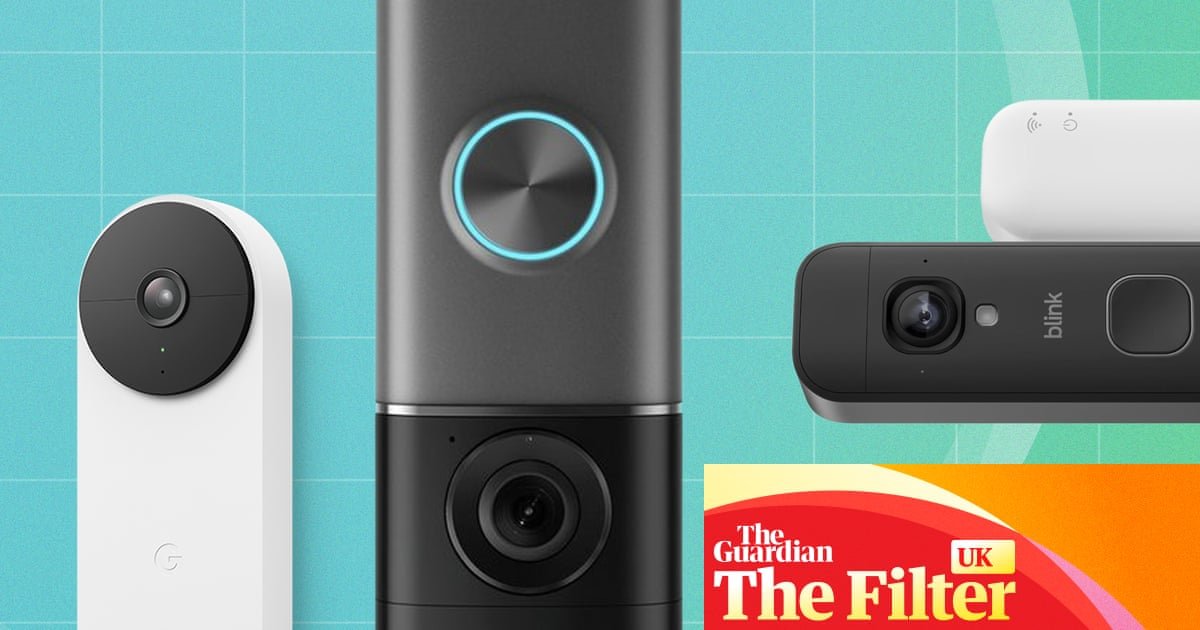
Review I spent 18 months testing the best video doorbells – here are my favourites Whether you want to improve your home’s security or simply know who’s at the door, the latest generation of smart doorbells will help put your mind at ease The best robot vacuums, tested Doorbells have evolved.
Today, they watch us as we approach, let the people inside the home know we’re coming sooner than our finger can hit the button, and give them a good look at our faces before they open the door.
They’re essentially security cameras with a chime function.
If you haven’t already installed one of these handy tools, there’s a huge array available.
Choosing the best video doorbell can be a bewildering task, with various factors to consider, including how much of your doorstep you want to see and whether you’re prepared to pay for a subscription.
To help make the decision a little bit easier, I tested 11 popular video doorbells to find the best.
At a glance Best video doorbell overallRing Battery Doorbell Pro £219.99 at Amazon Best budget video doorbellBlink Battery Doorbell 2K+ £69.99 at Amazon Best for Google Home usersGoogle Nest Doorbell (battery) £129 at Toolstation Best subscription-free video doorbellEufy Video doorbell E340 £139.99 at Amazon Why you should trust me I’ve been testing products, including everything from vacuum cleaners and robot lawnmowers to computers and games, for various publications for more than three decades.
I’ve also owned a video doorbell for several years, so I am well aware of their strengths and weaknesses.
It gives me a good understanding of what I’m likely to be looking for in the next one I buy.
How I tested ‘I’ve mounted 11 doorbells to various rigged-up contraptions over the past 18 months or so.’ Photograph: Andy Shaw The only way to test a doorbell is to stick it next to your front door and see how well it works.
To this end, I’ve mounted 11 doorbells to various rigged-up contraptions over the past 18 months or so.
With these, I can compare several doorbells at once, seeing how they all react to the comings and goings of my doorstep.
Delivery drivers were rightly suspicious of the number of buttons and cameras that appeared as new models were reviewed, and struggled to work out whether it was them or the doorbells that were being tested.
I’m not sure whether my neighbours noticed them all or spotted the number of times I lapped my drive at various times of day and night to test the movement sensors.
If they did, they were too polite to mention it.
I compare the doorbells by measuring how close I can get to the door before the motion detection is triggered, how much video is recorded and how useful that footage is.
I time how long it takes for notifications to reach the doorbells’ apps on a smartphone and how long it takes for the doorbell to send an alert or ring a chime (if included) when its button is pressed.
I also test the apps, examine the prices and consider the additional cost of subscriptions.
All the doorbells that didn’t need to be returned to the brands after testing are being donated to the British Heart Foundation.
The best video doorbells in 2026 Photograph: RichLegg/Getty Best video doorbell overall: Ring Battery Doorbell Pro Ring Battery Doorbell Pro from £219.99 £219.99 at Argos £219.99 at Amazon What we loveGreat footage day and night; clever pre-roll video What we don’t loveExpensive; limited without a subscription £219.99 at Argos £219.99 at Amazon When this article was first published, it included an older version of Amazon’s Ring Doorbell Pro, which has since been discontinued.
I wasn’t overly impressed with it for a variety of reasons, but Ring has pulled out all the stops with this newer version, addressing most of its weaknesses and leapfrogging its rivals with a host of useful features.
Why we love itMost importantly, the video and sound quality are excellent.
Ring still uses a slightly odd fish-eye lens, which provides a lot of area coverage but makes things look small at a distance and distorted up close.
With 4K recording, however, it offers an unparalleled ability to zoom into footage from the app.
It barely matters if someone looks small from a few metres away when you can zoom in on their face and still see a remarkable amount of detail.
The picture quality is crystal clear in daylight and still excellent in low light, such as at dusk or when illuminated by a doorstep lamp.
The night vision also works well when the ambient light is low enough for it to kick in.
It’s also faster to respond than the previous model, alerting my phone within a couple of seconds when the doorbell is pressed or movement is detected.
Ring does a particularly good job of tracking visitor movements by constantly storing a few seconds of video, which it can add to the beginning of the recording when motion is detected.
It means you get to see people as they arrive, rather than seeing them only once they’re already on your doorstep.
It’s a shame that … it doesn’t really work well without a subscription, which costs at least £4.99 per month.
Subscription: Ring Solo, £4.99/mth or £49.99/yr (one device, 180-day storage); Ring Multi, £7.99/mth or £79.99/yr (all devices at one location, 180-day storage); Ring Pro, £15.99/mth or £159.99/yr (as Multi but adds video descriptions) Ring Battery Doorbell Pro from £219.99 £219.99 at Argos £219.99 at Amazon What we loveGreat footage day and night; clever pre-roll video What we don’t loveExpensive; limited without a subscription For more, read consumer technology editor Samuel Gibbs’ Ring Video Doorbell Pro (wired) review Best budget video doorbell: Blink Battery Doorbell 2K+ Blink Battery Doorbell 2K+ £69.99 £69.99 at Amazon What we loveAffordable, even with a subscription What we don’t loveLess sharp footage; slower motion detection £69.99 at Amazon The latest version of Blink’s Battery Doorbell has the lowest price of all the doorbells I’ve tested.
Its resolution has been improved in this version from HD to 2K (although there’s also now an HD model that costs £10 less), but other elements have been downgraded.
For example, the new Sync Module Core, which needs to be plugged into a nearby wall socket, doesn’t provide the option of local storage like its predecessor did, which means the £2.50/month Blink Basic subscription is now an essential add-on.
Why we love itDespite this, the Blink Battery Doorbell 2K+ remains excellent value for money.
You can buy an annual subscription at a slight discount (£24.99/year) and still not have spent £100 in total.
Considering it’s a cheaper model, I was impressed with the video footage.
Daytime footage was clear, and with night vision enabled, it was good enough to clearly make out the faces of any visitors who wandered close to my front door.
The motion detection doesn’t activate as quickly as its rivals, so the captured footage tends to show people already on your doorstep rather than making their approach.
But the two-way communication was reasonably clear, and the app you use to control the doorbell is intuitive and simple to operate.
It’s a shame that … on average, it took six seconds for motion detection notifications to reach my mobile devices, which is a little slow.
Subscription: Blink basic, £2.50/mth or £24.99/yr (one device, 60-day storage); Blink basic AI, £5.49/mth or £54.99/yr (one device, 60-day storage, includes video descriptions); Blink plus, £8/mth or £80/yr (unlimited devices, 60-day storage); Blink plus AI, £14.99/mth or £149.99/yr (unlimited devices, 60-day storage, includes video descriptions) Blink Battery Doorbell 2K+ £69.99 £69.99 at Amazon What we loveAffordable, even with a subscription What we don’t loveLess sharp footage; slower motion detection Best for Google Home users: Google Nest Doorbell (battery) Google Nest Doorbell (battery) from £129 £129 at Toolstation £136.97 at Amazon What we loveGood view angle; quick to send alerts to other devices What we don’t love£80 subscription to store footage; no inbuilt chime £129 at Toolstation £136.97 at Amazon Doorbells can be inundated with features, and their apps can be amazing.
But if they don’t do a good job of letting you know when someone approaches your door and capturing a video of them, there really isn’t much point.
The Nest Doorbell is excellent at this.
Why we love itIn my tests, the Nest was a solid all-rounder.
I found the viewing angle of its lens to be about perfect, not going so wide that people appear too small, but still capturing enough of the surrounding area to catch people skirting around its periphery.
The video and audio were as consistently clear as those on any of the doorbells I tested, and they were decent in daylight and at night.
The Nest would sometimes detect people right at the end of my drive (about 15m away), but proved consistent at capturing movement from about three metres away.
There was a little delay between the button being pressed and notifications arriving on other Nest devices and smartphones, but it averaged a fairly reasonable five seconds.
While not as fast as the doorbells with dedicated local chimes, which tend to go off almost immediately, this was among the fastest for sending alerts to smartphones and smart speakers.
It’s a shame that … it doesn’t come with a chime.
Instead, you need to buy a separate Google Home smart speaker, which costs £99.99 (or a last-gen Nest Mini if you can pick one up secondhand).
If you have an existing Nest or Amazon Echo speaker, you can of course use that.
You also have to sign up for the Google Home Premium subscription at £8 a month or £80 a year – without it, motion events are stored for only three hours, which isn’t hugely useful.
Subscription: Google Home Premium (30-day storage, records only when movement triggered), £8/mth or £80/yr; Google Home Premium Advanced (60-day storage, records 24/7 for 10 days), £16/mth or £160/yr Google Nest Doorbell (battery) from £129 £129 at Toolstation £136.97 at Amazon What we loveGood view angle; quick to send alerts to other devices What we don’t love£80 subscription to store footage; no inbuilt chime Best subscription-free video doorbell: Eufy video doorbell E340 Eufy Video doorbell E340 from £139.99 £179 at Argos £139.99 at Amazon What we loveNo subscription; footage saved to internal storage What we don’t loveMotion detection can miss fast-moving visitors £179 at Argos £139.99 at Amazon Most video doorbells provide limited features without additional costs, hiding all their best bits (such as storing video for any length of time) behind a paywall.
The Eufy E340 is unusual because it ditches the paid-for subscription concept entirely.
Why we love itThe Eufy uses local rather than cloud storage, with 8GB built into the device.
How long that lasts before overwriting itself will depend on how busy your doorstep is.
This built-in storage makes it one of the more expensive models, although that’s not its only trick.
It uses two cameras, with the extra one pointed to the floor, so you can also keep an eye on parcels (and analyse your visitors’ footwear).
It’s a shame that … while the stars have aligned over the Eufy’s video quality and lack of subscription costs, there were one or two occasions when movement didn’t trigger the camera early enough or at all.
Ideally, I’d prefer something more reliable.
Subscription: none required Eufy Video doorbell E340 from £139.99 £179 at Argos £139.99 at Amazon What we loveNo subscription; footage saved to internal storage What we don’t loveMotion detection can miss fast-moving visitors The best of the rest Ezviz EP8 Ultra Ezviz EP8 Ultra £139.99 £139.99 at Amazon What we loveDual cameras; optional subscription What we don’t loveCartoon animals; clunky app; slow local playback £139.99 at Amazon Best for: disguising who’s in If you want to confuse visitors about who might be in when they call, pick the Ezviz EP8 Ultra.
For starters, they’ll be greeted by an animated animal that appears on the device’s screen when they arrive and starts pulling faces even before they’ve pressed the button.
After that, if you want to speak with whoever’s pressed the doorbell, you can use a voice-changing option on the mobile app, which can digitally shift the pitch of your voice to sound more or less deep.
The doorbell has two cameras, one face on and one pointing down to the floor, so you can clearly see the face of a visitor and any packages they might leave on your doorstep.
It comes with two batteries, so there’s no downtime while charging, and a wireless chime that alerts you instantly when the button is pressed.
It didn’t make the final cut because … the app is clunky.
It can store 32GB of video locally without a subscription, which Ezviz suggests is about 30 hours, but footage is slow to load.
Subscription: Ezviz CloudPlay, £4.99/mth (event recording, seven-day history) or £9.99/mth (event recording, 30-day history) Ezviz EP8 Ultra £139.99 £139.99 at Amazon What we loveDual cameras; optional subscription What we don’t loveCartoon animals; clunky app; slow local playback Aqara G4 Aqara G4 from £79.99 £79.99 at Aqara £84.99 at Amazon What we loveReplaceable batteries mean no charging downtime What we don’t loveApp for reviewing footage is cumbersome £79.99 at Aqara £84.99 at Amazon Best for: no charging time The big problem with rechargeable doorbell batteries is that there’s a period when they have to be removed from the door and charged up, at which point any visiting friends will have to knock, and unwanted visitors won’t be recorded.
This doorbell uses six AA batteries rather than a rechargeable battery, so its only downtime is while you’re replacing them.
This model also comes with the option of recording video to a microSD card (not included), which slots into the supplied chime, sitting safely inside the house.
However, it only provides access to the past seven days of video recordings through the app.
To view further back, you have to remove the memory card and watch the files on a computer.
It didn’t make the final cut because … the app is nothing short of horrible.
It has an AI chatbot.
No, I don’t know why either.
It was also one of the slowest to send notifications to a smartphone.
Subscription: not required if using a memory card.
Seven days of cloud storage included for free.
This can be increased to 90 days at £4.79/mth or £47.99/yr Aqara G4 from £79.99 £79.99 at Aqara £84.99 at Amazon What we loveReplaceable batteries mean no charging downtime What we don’t loveApp for reviewing footage is cumbersome Yale smart video doorbell Yale Smart video doorbell from £149.99 £149.99 at Argos £169.98 at Yale What we loveResponsive to movement; good doorstep angle What we don’t lovePoor-quality sound; unnatural tint to footage £149.99 at Argos £169.98 at Yale Best for: field of view The Yale doorbell proved reasonably responsive at detecting movement, triggering when I was about 2.5 metres away.
It has a medium field of view compared with its rivals.
That means people are still reasonably sized in the captured videos, but it gets a fish-eye effect around the edges, making it tricky to catch people hiding or sneaking up.
The app is simple to use.
It has few frills, but that may suit someone who doesn’t want their doorbell to be too complicated.
There’s also internal storage, but only enough for two to four days, so it’s worth the subscription if you often go away for the weekend.
It didn’t make the final cut because … sound quality was the worst of the group, and the video had an unnatural colour tint.
Subscription: from £3.50/mth (30-day storage) Yale Smart video doorbell from £149.99 £149.99 at Argos £169.98 at Yale What we loveResponsive to movement; good doorstep angle What we don’t lovePoor-quality sound; unnatural tint to footage Tapo D235 video doorbell camera Tapo D235 video doorbell camera from £116.99 £119.99 at Tapo £116.99 at Amazon What we loveComes with a chime and local storage for a reasonable price What we don’t lovePoor distance detail; short motion-detection range £119.99 at Tapo £116.99 at Amazon Best for: a good value camera with no subscription required If our budget choice doesn’t appeal, then the Tapo D235 may suffice instead.
It’s more expensive but sits comfortably in the middle of the price range of doorbells reviewed, and it can record video locally on a microSD card (not included).
However, there’s still a £2.99-a-month subscription available.
That lets you save captured footage to the cloud as well as or instead of a memory card and sends camera snapshots with its text alert notifications.
For the price, I was impressed with the quality of the footage captured, but it uses colour night vision as it gets dark, which was a bit too grainy.
It has a wide 180-degree viewing angle and comes with a chime that sounds inside when someone pushes the doorbell button.
It didn’t make the final cut because … motion detection started at about 1.5 metres in my tests, which meant some movement was missed.
Also, its wide-angle lens makes distant visitors appear small.
Otherwise: Basic seven-day video history, £2.59/mth or £25.99/yr; Premium 30-day video history, £2.99/mth or £29.49/yr Tapo D235 video doorbell camera from £116.99 £119.99 at Tapo £116.99 at Amazon What we loveComes with a chime and local storage for a reasonable price What we don’t lovePoor distance detail; short motion-detection range What you need to know As you may expect, buying a video doorbell isn’t (just) about whether the colour matches the paint job on your front door.
Smart doorbells are crammed with features designed to make you think they sound good, luring you into choosing one over another.
However, you should also take into account how good they are at alerting you when people arrive at your door, and whether you’ll be able to tell who it is when you watch a video or live feed on your smartphone, as I did in my tests. skip past newsletter promotion after newsletter promotion Battery vs wired video doorbells If you have an existing wired doorbell, you can use its wiring to connect most video doorbells.
There are two main benefits to a wired doorbell: there’s no battery, so it doesn’t need to be recharged; and it will ring the existing doorbell chime inside the house when the doorbell button is pressed.
They’re a bit more complicated to install, though, so if you’re not a competent electrician, we’d suggest getting a professional to do it for you.
Battery doorbells are much easier to install, but charging them can be a faff.
You usually have to remove the doorbell (or at least its battery) and charge it overnight.
During that time, you will have no doorbell or camera.
You’ll probably have to do this every month or so, but it depends on the battery and how busy your doorstep is.
Some doorbells can use a spare battery or come with regular batteries that can simply be swapped, so you don’t need to be without a doorbell while it charges.
Others can be topped up using a small solar panel, either out of the box or as an additional accessory.
Installing your video doorbell Installing a new battery doorbell is simple.
Most come with a mounting plate to attach wherever you want the doorbell to sit.
Screwing into a wooden door frame, if your doorway has one, is easy and convenient, but the doorbell can also be mounted on to a wall if you’re prepared to drill some holes and use a wall plug to hold the screws in place.
Once the battery is charged, the doorbell attaches to the mounting plate.
If you’re replacing a wired doorbell, ensure you switch off the electricity first.
This should be possible through your circuit breaker, and you should test it before you remove your old doorbell by ringing it – if it stops ringing, you’ve successfully shut off the power to it.
The old wires should then attach to terminals on the new doorbell, but we’d strongly advise tackling this only if you know what you’re doing or getting a professional to do it for you.
Subscriptions and storage One of the hidden costs of a video doorbell is the price of a subscription, which usually costs a few pounds a month and includes some form of cloud storage.
Without a subscription, most video doorbells are little more than a regular doorbell with the video equivalent of a peephole that allows you to see who is at the door right at that second.
A storage subscription elevates it into an archive of visitors, with video footage of everyone who’s been on your doorstep in recent days, so you can go back and check.
Having said this, some doorbells (such as the Eufy doorbell reviewed here) have their own storage, can accept a memory card or connect to a wireless hub that’s kept inside the house.
This kind of doorbell can be used without a subscription and stores footage locally, though many still offer a subscription that can provide additional features, such as recognising the faces of your visitors.
Do video doorbells work with voice assistants?
Video doorbells integrate nicely with other smart home devices.
The most useful add-on is a smart screen, such as Amazon’s Echo Show (available in various sizes from £89.99) or Google’s Nest Hub Max (£219).
These screens can be set to alert you when your doorbell rings and immediately switch to a live video feed from the doorbell camera.
Smart speakers, such as Amazon’s Echo Dot and Google Home Speaker, can also be used in conjunction with a doorbell, though without a screen, they can’t display a live view.
You can still set them to chime, which can be useful for hearing the doorbell all around your house.
Video doorbells can also be controlled using Amazon’s and Google’s smart assistants.
You can use voice commands to perform doorbell tasks, such as showing the view from your doorbell on your phone or smart screen.
Your doorbell doesn’t have to come from the same company as your smart device or favoured voice assistant; Google’s Nest Doorbell is compatible with Amazon Alexa as well as Google Assistant devices, for example.
However, you tend to get more functions with a directly compatible system – Amazon’s Echo devices, for example, with a Ring or Blink doorbell.
How long do video doorbells generally last?
Quoting the battery life of a video doorbell is problematic even for the manufacturers.
Amazon states only that the batteries in its Ring doorbells can last for “months”, while Google quotes the battery life of the Nest Doorbell (battery) as being between one and six months.
Both are too vague to be particularly useful.
However, it’s hard for the manufacturers to be more specific because there are huge differences between how people use their doorbell.
If you live on a busy street and have motion detection switched on, your doorbell will be activated by every passerby.
Video doorbells can also be activated by movement from cars, trees and animals.
Other factors can reduce the battery life too.
If you often use the device to view a live picture of your doorstep even when there’s no one there (which can be very tempting, especially when the doorbell is new), then the battery will run down faster.
Battery life is also reduced in cold weather, so those living in chillier parts of the country might find that their battery doesn’t last as long, particularly during winter months.
When it comes to the life of the doorbell itself, manufacturers tend to offer warranties of between one and two years.
We’d expect that to be a minimum lifespan, since given that the device has few moving parts, there isn’t that much that can go wrong.
The first thing that’s likely to fail is the battery, because it tends to deteriorate over time.
That puts doorbells with removable batteries at a slight advantage, because a failed battery in a sealed device may be impossible to replace.
You can extend a battery’s life by treating it well: wait until its charge is below 20% before recharging it, and try not to let it run down completely.
That way, there’s no real reason why a video doorbell shouldn’t last for years.
In some cases, it’s possible that a manufacturer’s support for a doorbell will run out before the hardware dies.
For most doorbells, that’s about five years after the product was launched.
Support is usually withdrawn by stopping software updates, which can leave a product vulnerable to hacking, or by changing elements such as cloud storage services that can render advanced features unusable.
What to do with your old video doorbell If you’re upgrading from one video doorbell to another, there are several things you can do with your old one.
The most obvious is to install it on a back or side door if you have one.
Although you’re unlikely to see much action on the ringer, the camera can provide a useful extra layer of security, particularly if intruders have spotted and circumvented the doorbell on your front door by scaling a fence.
You could also use the camera as a regular security camera, either indoors or out.
Most devices let you switch off specific doorbell features, such as the ringer, so you won’t be disturbed by people ringing it.
You could also mount it out of reach, though it’s worth considering that you might have to access it every now and then to recharge the batteries.
Footage from the doorbell can be accessed and managed through the app as if it were a security camera.
However, note that some subscription services might charge you more if you have multiple devices connected and want to store captured footage online.
If you want to get rid of your doorbell, make sure you uninstall it from your smart home setup before you physically remove it.
Also, check the manual to find out how to do a factory reset so the camera doesn’t try to connect to your accounts if it’s reinstalled by someone else.
Older doorbells may still have some value, so you could try selling yours, donating it to a charity or giving it away locally.
If all else fails, don’t chuck it in the bin.
Check your local waste collection, as they may pick it up on bin day if it’s left in a separate plastic bag.
Alternatively, take it to your nearest recycling centre and leave it with the other electrical items so it can be properly recycled.
For more, read the best robot vacuums, tested and 21 home organisation hacks Andy Shaw is a consumer journalist and technology addict.
As he has reviewed tech products professionally for more than 30 years, his favoured working environment is a small desk surrounded by big boxes.
His greatest weakness is that he never, ever remembers how things came out of their boxes, so they rarely fit back in when it’s time to send them back Explore more on these topicsTechnology The Filter Homes Interiors Gadgets features Share Reuse this content