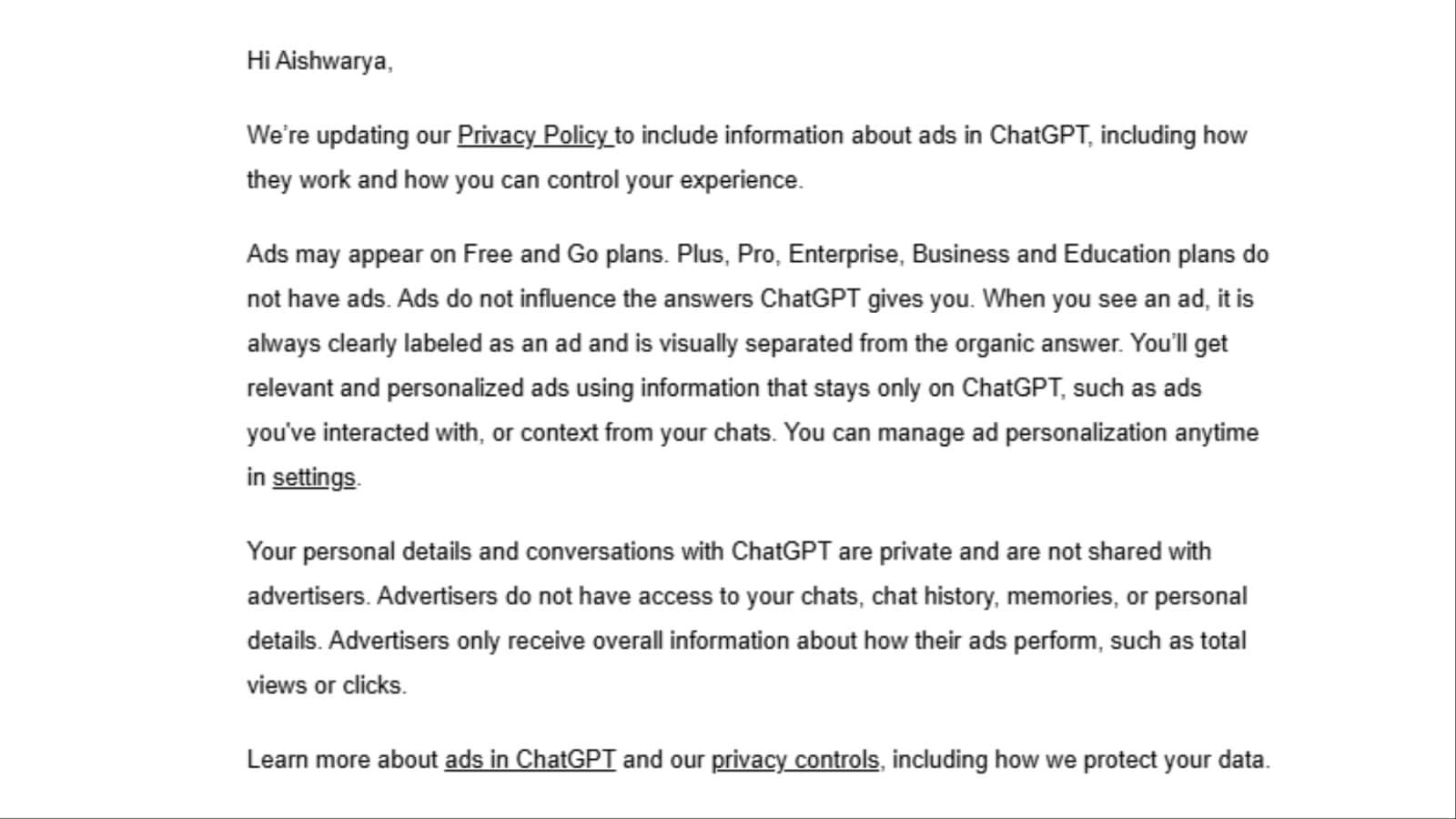
If you use ChatGPT regularly, you may want to check your inbox. OpenAI has started sending emails to users in India informing them that ads are coming to ChatGPT, bringing its advertising test to another major market after it initially launched in the US.

OpenAI announced its plan to test ads in ChatGPT on February 9, 2026. At the time, the test was limited to the US. Now, the company is notifying users in India that ads will soon appear on the platform.
The ads are expected to appear below the end of a ChatGPT response and will be clearly labelled as sponsored content. They will also be visually separated from ChatGPT's answer.
Who will see ads on ChatGPT?
Ads may appear for users on the Free and Go plans. Plus, Pro, Business, Enterprise and Edu users will not see ads.
OpenAI also says it does not show ads to accounts identified as belonging to users under 18. Temporary Chats will not show ads either.
Will ads affect ChatGPT's answers?
This is probably the first question many users will have. OpenAI says no.
The company says its advertising system runs separately from the ChatGPT model, meaning advertisers cannot shape, rank or alter the answers you receive. An ad appearing alongside a response also does not mean OpenAI endorses or recommends that advertiser.
OpenAI says the ads system can use the context and intent of your current conversation to determine which ad may be relevant. If personalised ads are enabled, selected signals from your broader ChatGPT activity can also be considered.
Is ChatGPT using your chats for ads?
This is where the privacy question gets interesting.
OpenAI says advertisers do not get access to your chats, chat history, memories or personal details, and the company says it never sells your data to advertisers.
However, if personalised ads are enabled, OpenAI may use selected signals from your broader ChatGPT experience to make ads more relevant. This can include past chats, memory and how you interact with ads. Basic context, such as general location or language, may also be used.
Advertisers only receive aggregated, non-identifying information about how their ads perform, such as total views or clicks. Ads also won't appear near sensitive or regulated conversations, including discussions involving personal health, mental health or politics.
How to manage ad personalisation
OpenAI says eligible users can manage their advertising preferences through Settings > Ads Controls. However, these controls are currently available only to eligible Free and Go users in the US, so Indian users may not see the option immediately.
When the controls become available on your account, open ChatGPT.
Go to Settings.
Select Ads Controls.
Turn Personalise ads on or off.
You can also control whether past chats and memory can be used to make ads more relevant.
You can view your ad history and topics or delete ads data.
From an individual ad's three-dot menu, you can hide or report the ad, see why it was shown to you, or select Ask ChatGPT to discuss it.
Turning off ad personalisation does not remove ads. OpenAI says ads can still be based on the context of your current chat thread, but other chat threads, ad history and topics will not be used to inform them.
Free users in supported regions can also choose an Ads-Free experience, although this comes with lower usage limits and reduced access to some features.
For Indian ChatGPT users, the takeaway is simple. If you are on the Free or Go plan, ads could soon become part of your ChatGPT experience. And if you have received an email from OpenAI about ads, this is the rollout you've been waiting for.