You may be interested in

41% OFF

ViewSonic VA2708-2K-MHD 27-inch (68.58cm) 2K QHD SuperClear®IPS Monitor, HDR10, 100Hz, 1ms, 16.7m Colors, sRGB 111%, Dual Speakers, Dual HDMI 2.0, DP, Eye ProTech+, Slim Design
ViewSonic VA2708-2K-MHD 27-inch (68.58cm) 2K QHD SuperClear®IPS Monitor

HDR10

43% OFF

ViewSonic VX2758A-2K-PRO-3 (68.58 Cm) 27Inch 240Hz IPS QHD 2K Gaming Monitor| 1ms| HDR10| FreeSync | 137% sRGB | Tilt | Eye Care | 2 x HDMI | Display Port.
20% OFF

ViewSonic XG2738-2K-OLED 27-inch QHD QD-OLED Gaming Monitor | 240Hz Refresh Rate | 0.03ms GTG | HDR10 | Ergonomic Adjustable Stand| AMD FreeSync | NVIDIA G-SYNC Compatible | HDMI
23% OFF

ViewSonic Gaming Monitor VX3480-2K-PRO 34-inch (86.36cm) UW QHD 2k 3440x1440p SuperClear IPS |165Hz |1ms |HDR10 |AMD FreeSync Premium|EyeProTech |2xHDMI |1xDP | Height Adjustment| Tilt Swivel
48% OFF

ViewSonic VA2432-H-W-2 24 Inch Full HD IPS Monitor | 100Hz Refresh Rate | 1ms MPRT | HDMI & VGA | 3-Side Frameless Design | Eye ProTech Flicker-Free & Low Blue Light | VESA Mount
ViewSonic markets its VG2709U-2K monitor as designed for professional office setups, and seeing it in person makes that positioning believable. However, after receiving a unit from the brand for review, I found that the more I used it, the more it strayed from its professional, work-focused identity.
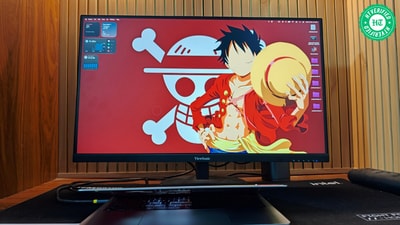
The VG2709U-2K fit perfectly into my daily workflow and downtime, including PS5 gaming. My first few days with this 27-inch, 1440p monitor were smooth sailing, with sharper images and pleasing colours. However, as the days stretched into a week and then a month, I encountered a few quirks. They didn't diminish my overall impression, but they could influence how potential buyers perceive this monitor.
Here’s everything you need to know about the VG2709U-2K monitor and how it fared during my month-long testing.
Design and Build Quality: Plain looks, practical thinking
Plain looks, polished presence
The VG2709U-2K monitor is as bland as a monitor can be, and that’s a huge plus. The anti-glare coating on its screen conceals the top, left, and right bezels, which are black. So when the light is off, the monitor looks barren and bezel-less.
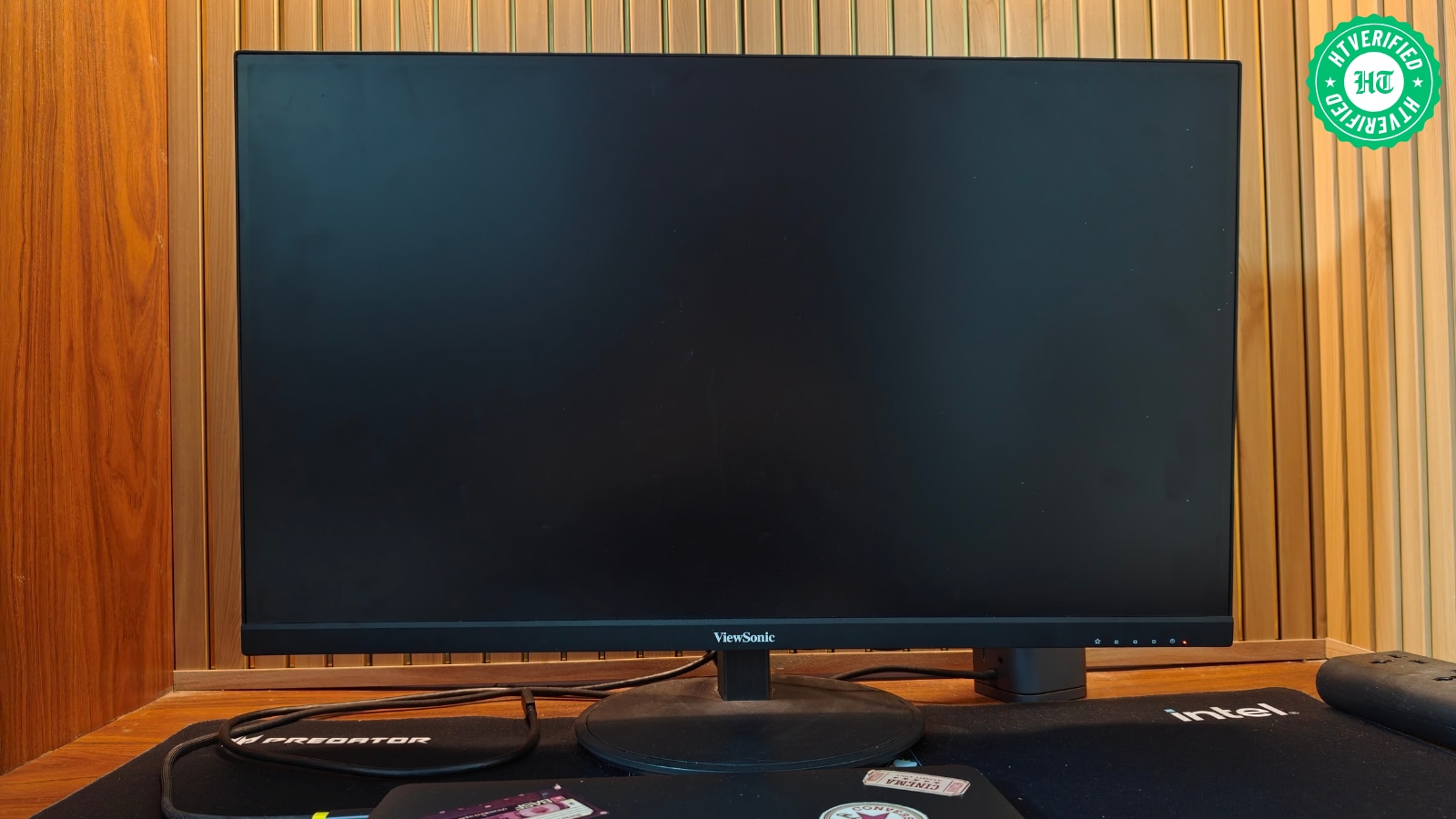
Comparatively, ViewSonic focuses more on the bottom bezel. It sticks out slightly and features the brand logo in the centre and OSD labels on the right-hand side. The only thing the bottom bezel and the rest of the screen have in common is their black colour.
Taken together, the VG2709U-2K monitor stands out as a minimalist product that blends well with nearly any setup you can imagine.
A stand that goes the extra mile
As with the monitor, not much is happening on the design front with its stand. It keeps the same basic black look, with ridges running across the spine. These ridges improve grip when lifting the monitor from the stand, but they collect dust in the crevices, so you need to clean them weekly.
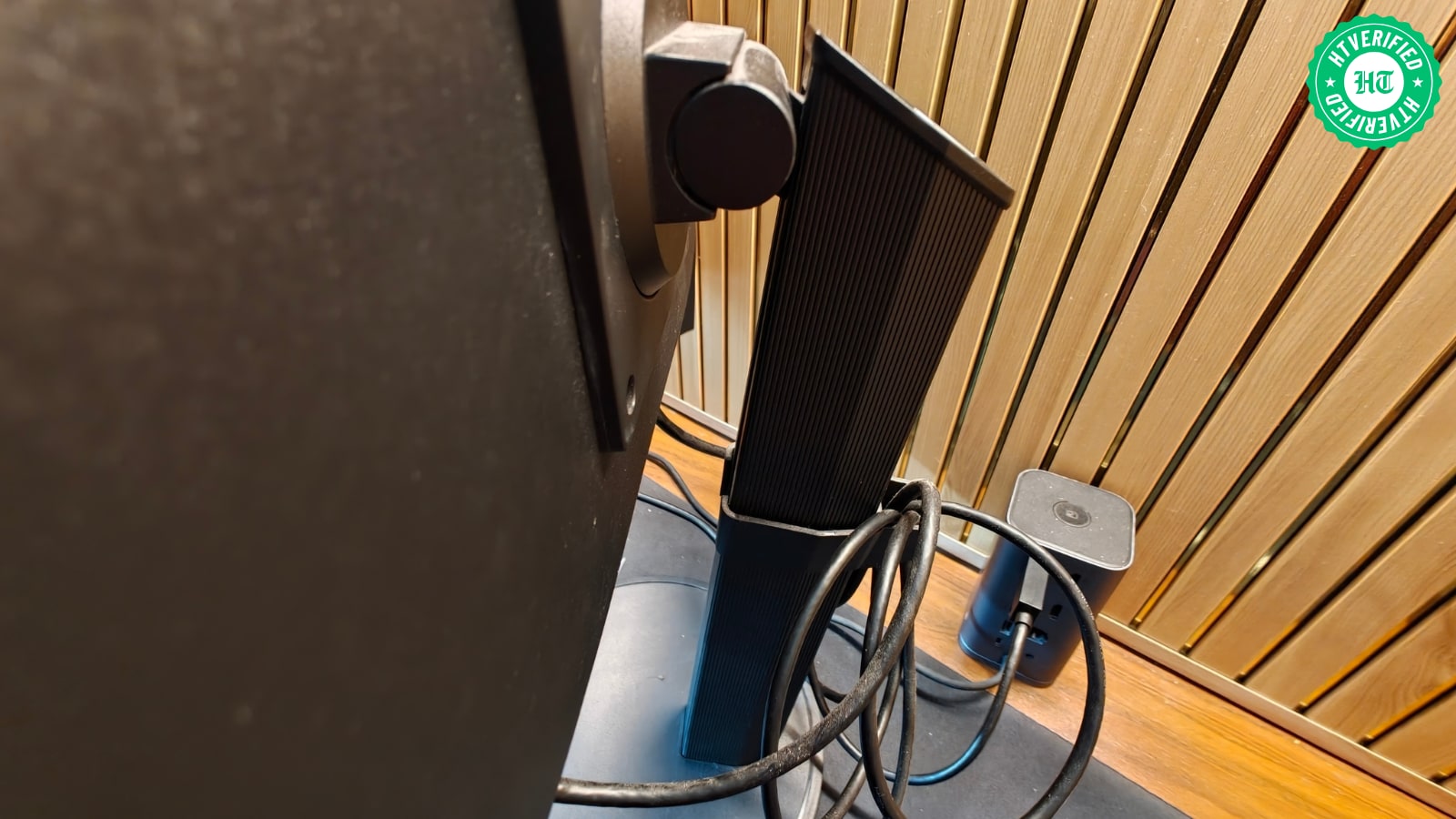
Thoughtful touches are what help the VG2709U-2K monitor stand make a strong impression. Aside from the ridges, it comes bundled with a cable management clip that neatly ties up extra cable length.
To help us adjust the monitor to our sitting posture, ViewSonic makes it versatile in its articulation. Beyond height adjustment, it lets you swivel the monitor up to 180° to the left or right and tilt it from -3.5° to 28°. The stand also lets you rotate the VG2709U-2K monitor to portrait orientation, opening the possibility to read long documents vertically or scroll through short vertical videos on popular social media platforms.
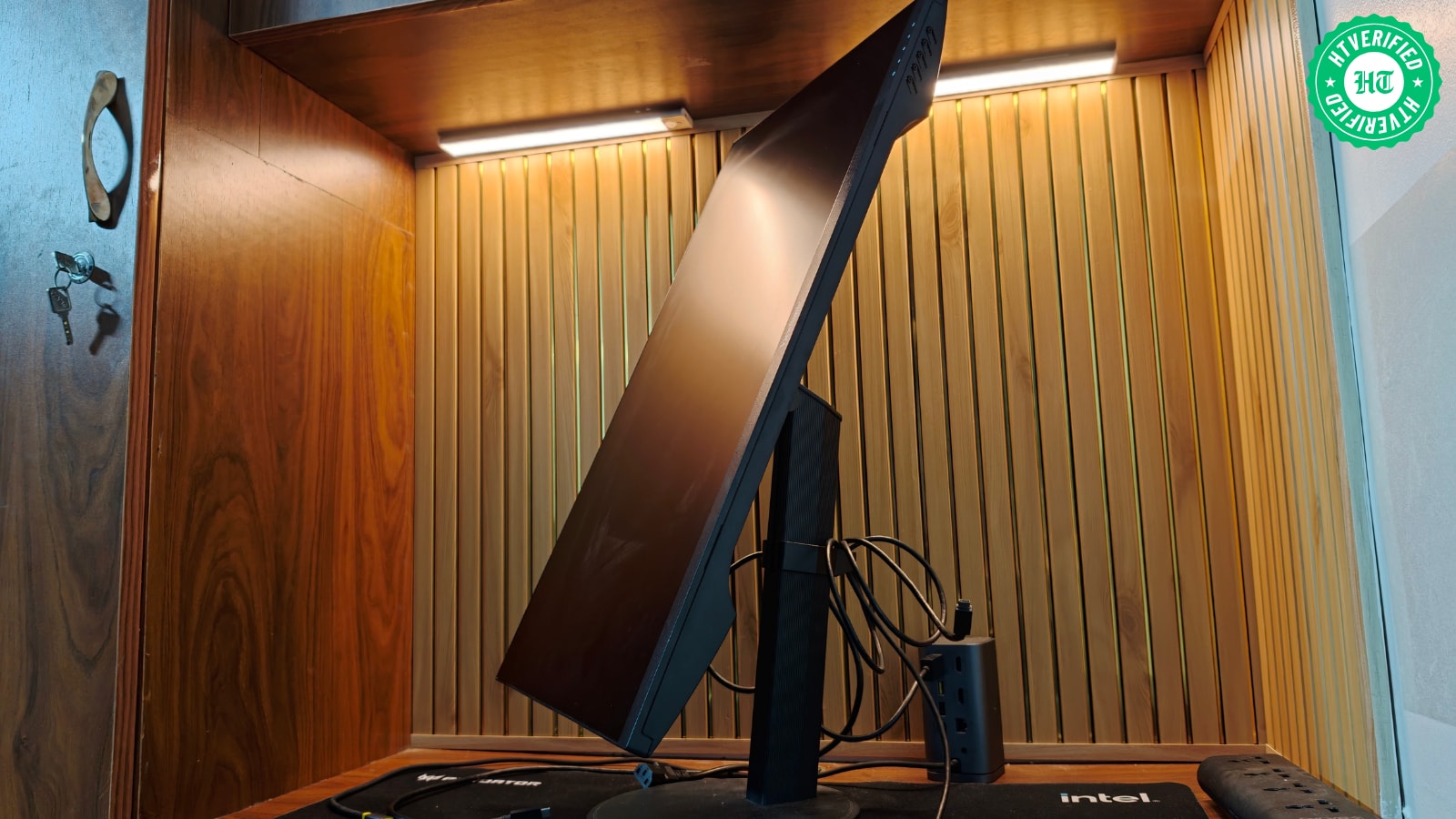
Except for the rotation adjustment, all the articulations greatly benefited me during my use. It helped most while I was exercising on a walking pad, as the stand's tilt and height adjustments let me raise the monitor to my eye level without making me feel like I was missing a standing desk.
Four screws, one at each corner of the stand plate, hold the VG2709U-2K monitor in place. Although I don’t find this execution appealing or convenient, I do have to say that the monitor stays glued to its stand.
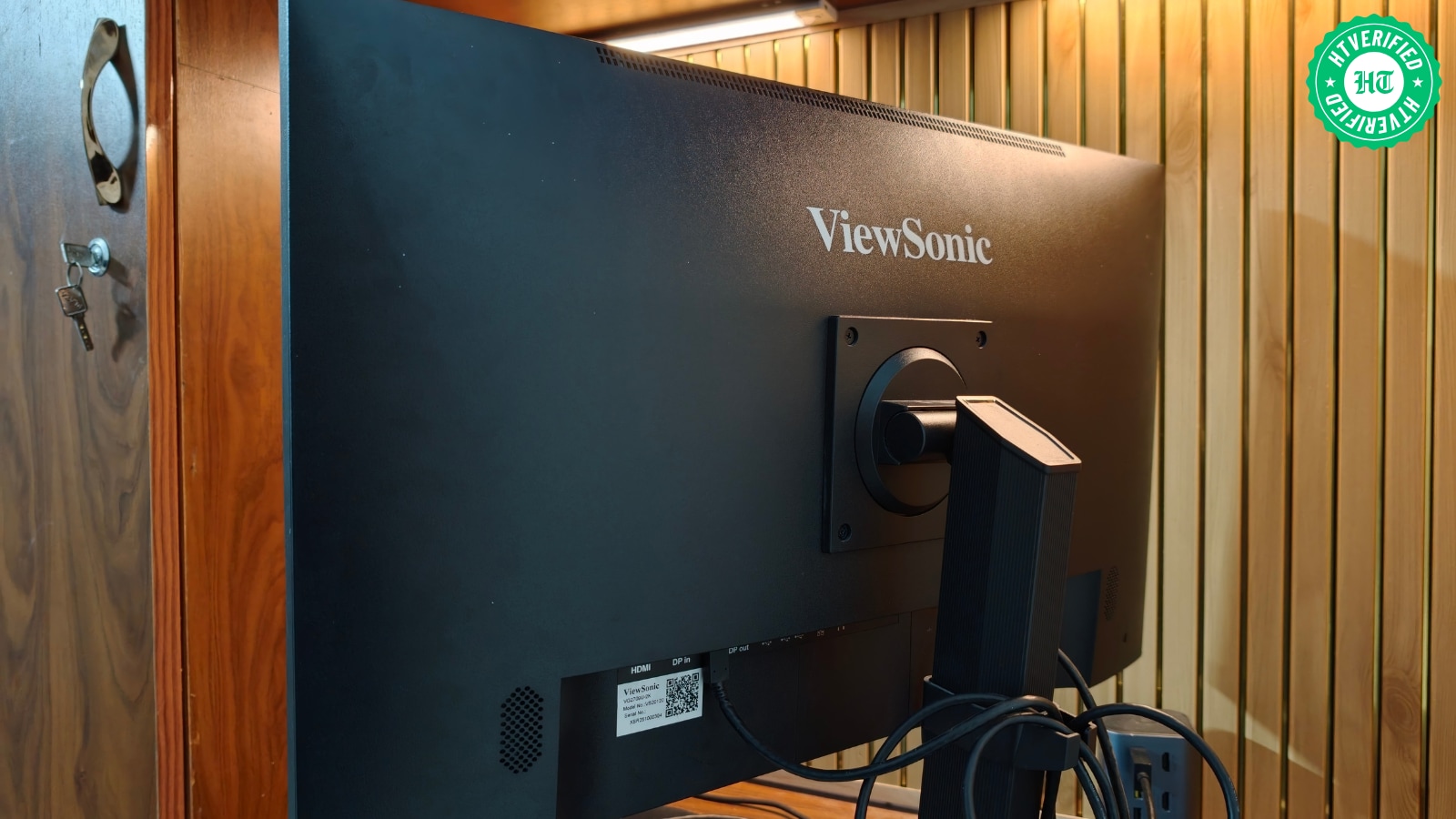
I occasionally moved ViewSonic’s monitor away from my desk by grabbing it by its stand, and never once did I feel it would immediately fall to the floor. I still recommend carrying the VG2709U-2K monitor by its stand, with your other hand under the bottom bezel.
It’s a tangent, but I do want to point out that moving the monitor across the room takes much less effort.
Solid in hand, not entirely silent
As with the design, ViewSonic’s monitor also proves capable in build quality. Though it's plastic, it feels solid to the touch. It does creak a bit from the back when pressure is applied, but it isn’t alarming.
Display: Smooth, vivid, not quite perfect
Sharp enough, but not quite
The display is the pivotal aspect of any monitor, and the VG2709U-2K fares pretty well here, though it has a few loose ends. First, let’s take a closer look at the shortcomings.
Typing articles on the 27-inch monitor connected to my MacBook via HDMI often made me notice that the text and certain parts of Google Docs looked pixelated. I can’t pinpoint the cause, but I have two hypotheses. Since I always sat about 3 feet away from the VG2709U-2K monitor, which is pretty close, I might be seeing its pixel structure more clearly.
ViewSonic hasn’t mentioned the pixel density of the VG2709U-2K monitor anywhere on its product page. At 2560 × 1440 resolution, it should have enough pixel density to make text look sharper than on a 27-inch 1080p monitor, though not as sharp as on a 27-inch 4K monitor viewed from 3 feet away.
On the other hand, my MacBook may have intentionally disabled sub-pixel antialiasing on the VG2709U-2K monitor because it doesn’t count as a Retina display.
Text pixelation isn’t horrendous or a deal-breaker, but those pedantic about this detail could grumble. That said, the OSD menu's text view mode improves things a bit. Surprisingly, there’s another catch here. This option only shows up when you connect the VG2709U-2K monitor to your MacBook with the bundled Type-C cable. But tethering the monitor to my Mac via the cable removes HDR and the 100 Hz refresh rate.
By the way, ViewSonic’s monitor also comes with other picture modes, including Game, Movies, Web, and Mono.
A visual treat with creative limits
Because picture quality and a high refresh rate are close to my heart, I happily traded picture mode for them. Using the VG2709U-2K monitor via HDMI throughout the month validated my decision.
Whether HDR or SDR, it reproduced colours nearly on par with my MacBook screen, which many consider an industry standard.
With 104% sRGB and 72% NTSC colour gamut, ViewSonic’s monitor often struck the right balance between vibrancy and saturation, a quality I noticed while watching anime series on it, including One Piece and Black Clover Season 2. In addition, it made each visual element in a complex scene stand out more distinctly.
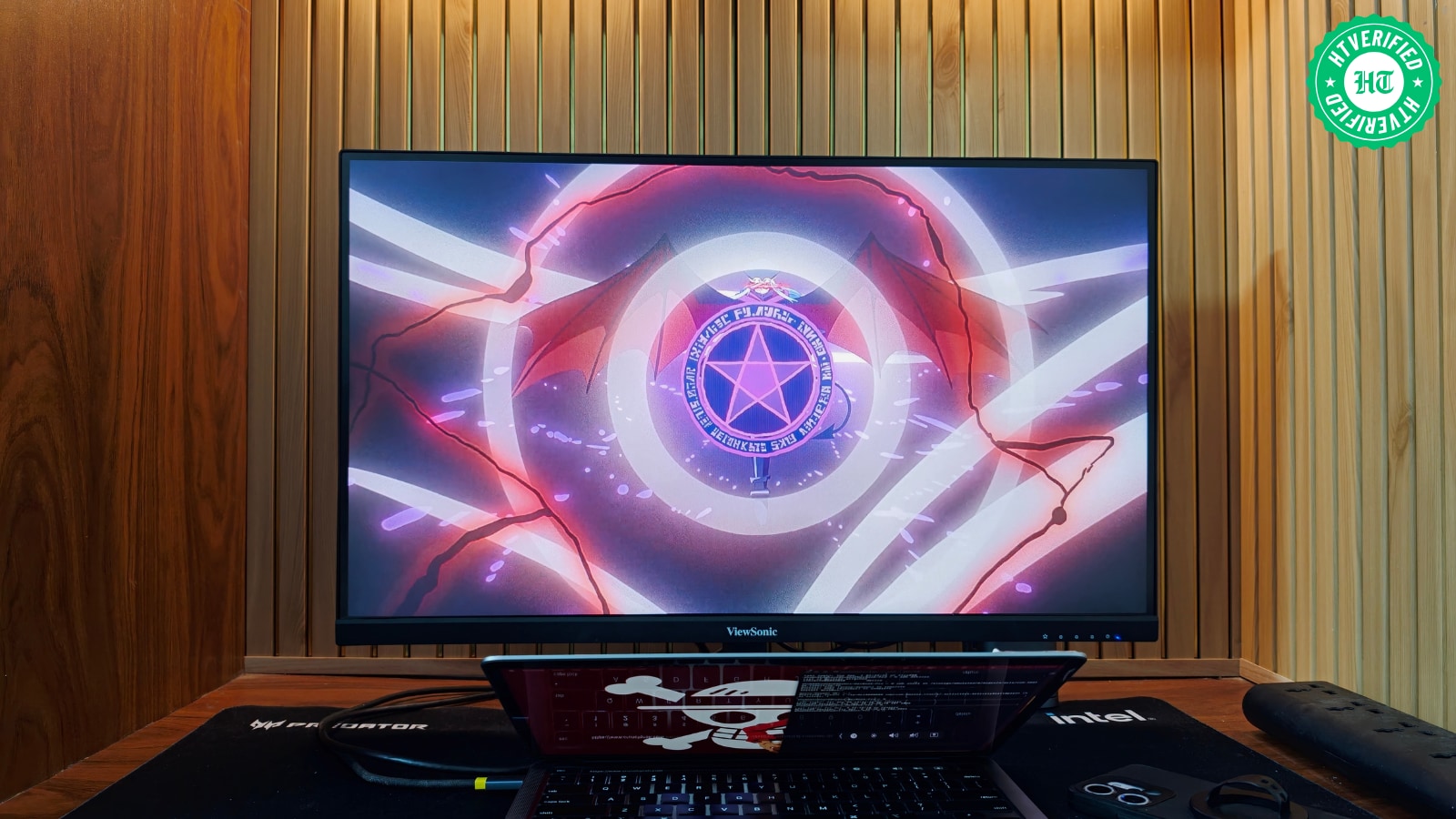
But ViewSonic’s monitor isn’t ideal for video editing and similar creative work because its colour accuracy doesn’t meet the standards these tasks require.
As with colour reproduction, the VG2709U-2K monitor held up well in terms of picture clarity, which stood out while watching Lanterns on JioHotstar. This is best illustrated by a scene in episode 7.
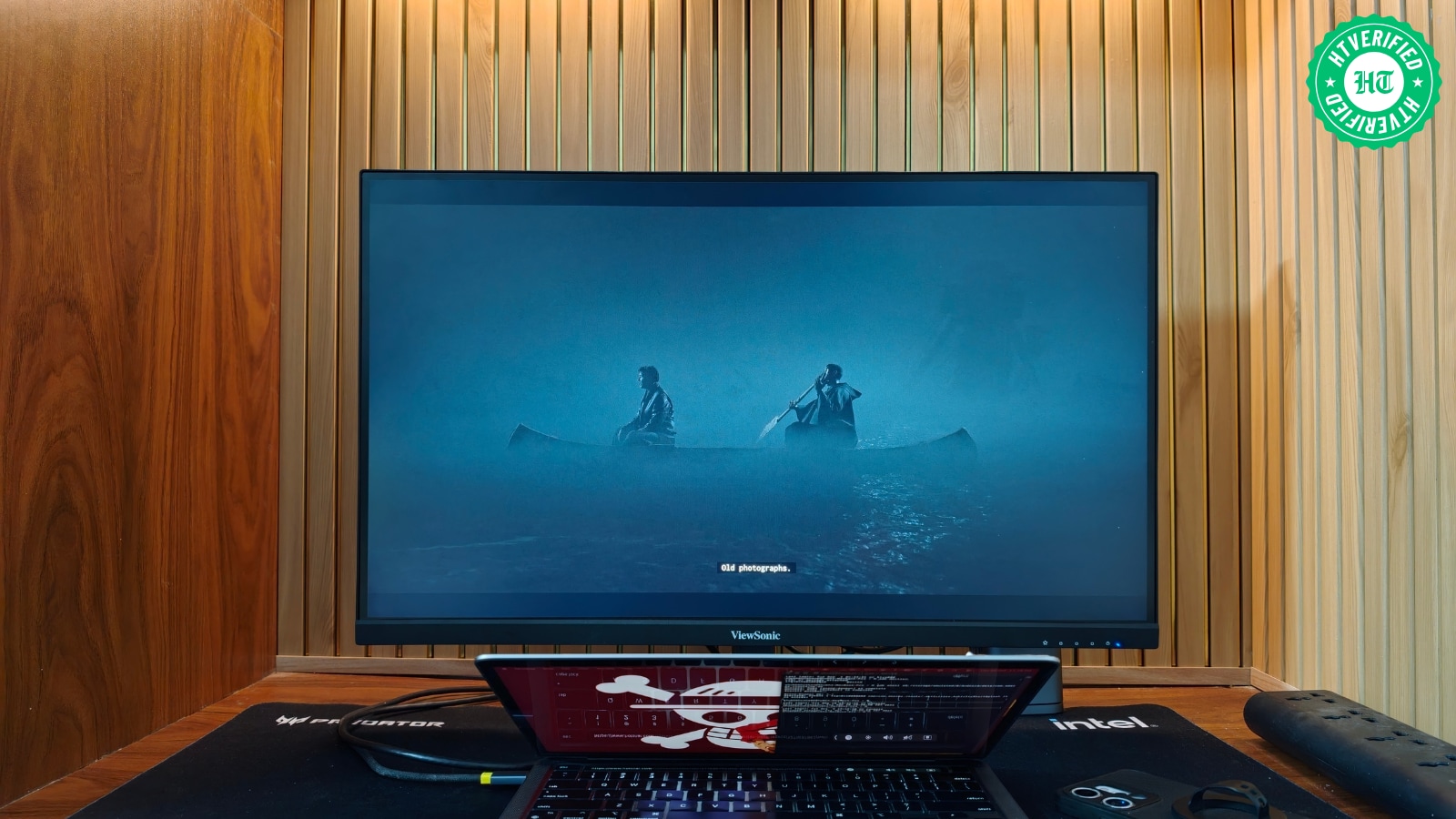
To put it in perspective, John Stewart rows a boat with Hal Jordan’s hologram to shore on the dingy planet Antaan. With the entire frame almost enveloped in darkness, I could still easily make out the tense look on both characters' faces. But that was only possible with brightness set to 90%.
But don’t let this fool you into thinking the VG2709U-2K monitor falls short on brightness. When I typed in Google Docs in light mode, I often lowered the monitor’s brightness to 70%; otherwise, anything higher made my eyes sting. This is hardly surprising, given its peak brightness of 350 nits, which is sufficient for a well-lit indoor environment. Its anti-glare coating reduces reflections, further improving my viewing experience.
A smoother experience that is hard to give up
That said, the VG2709U-2K's 100 Hz refresh rate was the biggest quality-of-life improvement, and it really felt like it. Whether I was scrolling through lengthy research websites or resizing app windows, everything felt smooth and pleasing to the eye. Working on my MacBook without it felt jarring at times.
A good screen for getting lost in PS5 games
Beyond watching series and typing documents, I also played games on the VG2709U-2K monitor connected to my PS5. I couldn’t figure out whether I was taking advantage of the monitor’s high refresh rate while gaming.
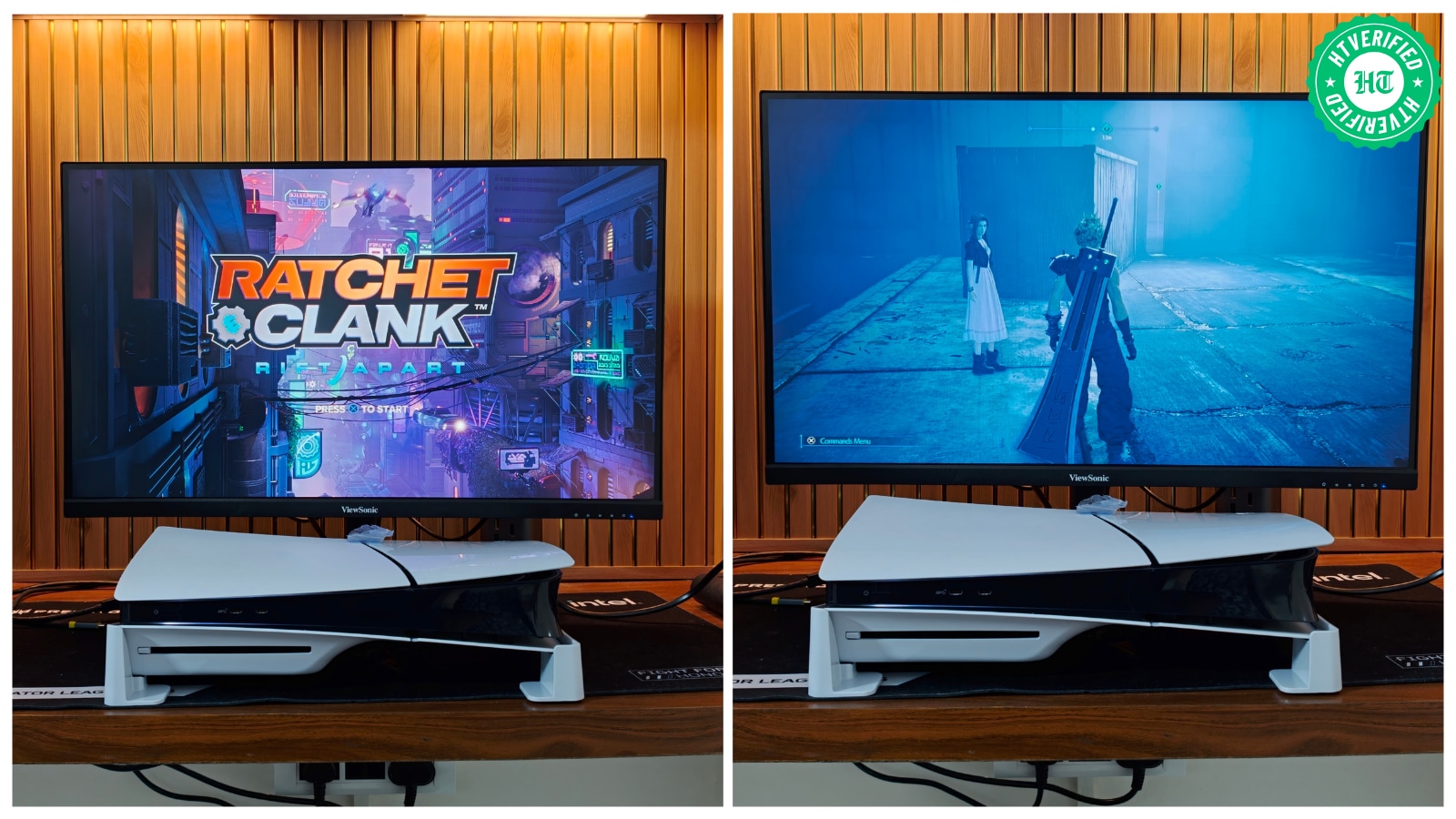
But the picture clarity and colour reproduction I noticed while playing Final Fantasy VII Intergrade and Ratchet and Clank: Rift Apart matched the experience mentioned above, with crisp details and subtle, appealing colours.
Audio: A reminder to keep your speakers handy
The VG2709U-2K monitor surprisingly comes with two 2.5W speakers, and after a few uses, I realised they were the least of ViewSonic’s concerns. Even at full volume, you have to move closer to hear clearly. But increasing the monitor’s speaker volume makes the audio sound shrill. The low end isn’t good either, so heavy-sfx scenes don't deliver the intended punch.
With that in mind, the speakers on the VG2709U-2K monitor should be considered a last resort.
OSD Menu and Native Software: A few hurdles behind the screen
This is where I have a bone to pick with ViewSonic. First, instead of including a joystick, the brand integrated 5 OSD menu buttons into the bottom bezel of the VG2709U-2K monitor. After a month of use, I still struggle to find each button. Even when I do spot one, interacting with it doesn’t feel as refined because I have to press each one hard.
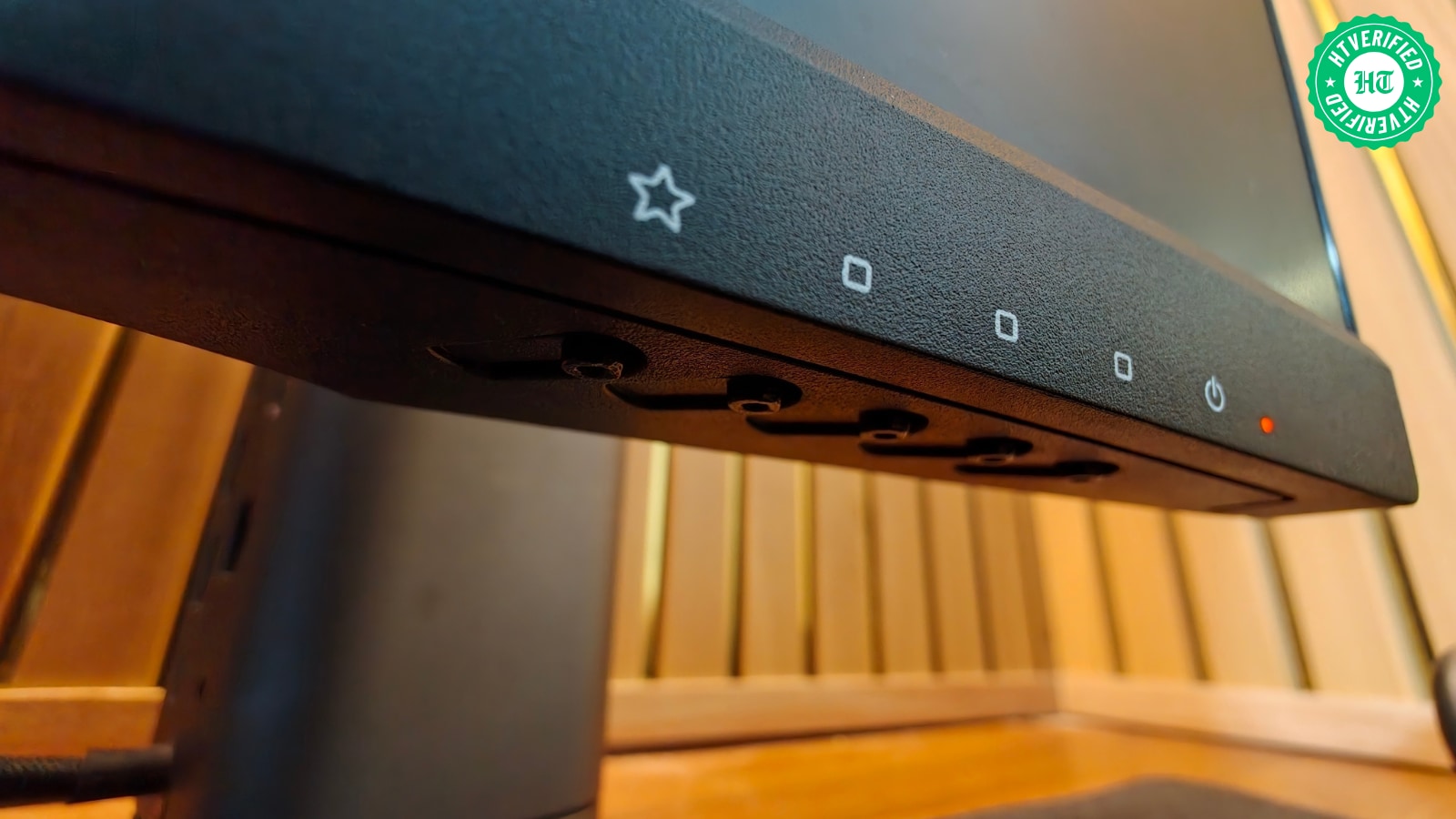
Another shortcoming is that almost half of the OSD menu adjustment options, particularly the entire View Mode section, become inaccessible when I tether the VG2709U-2K monitor to my MacBook via HDMI instead of its bundled Type-C cable.
The saving grace is that the HDMI connection lets me adjust the monitor’s brightness, HDR, colour profile, resolution, and refresh rate directly from my MacBook without downloading any additional software.
Ports and Connectivity: The right ports, the right perks
The ViewSonic VG2709U-2K offers a good selection of connectivity options, including:
2x USB 3.2 Type-A downstream
1x USB 3.2 Type-B upstream
1x USB 3.2 Type-C upstream with DisplayPort Alt Mode and 65W Power Delivery
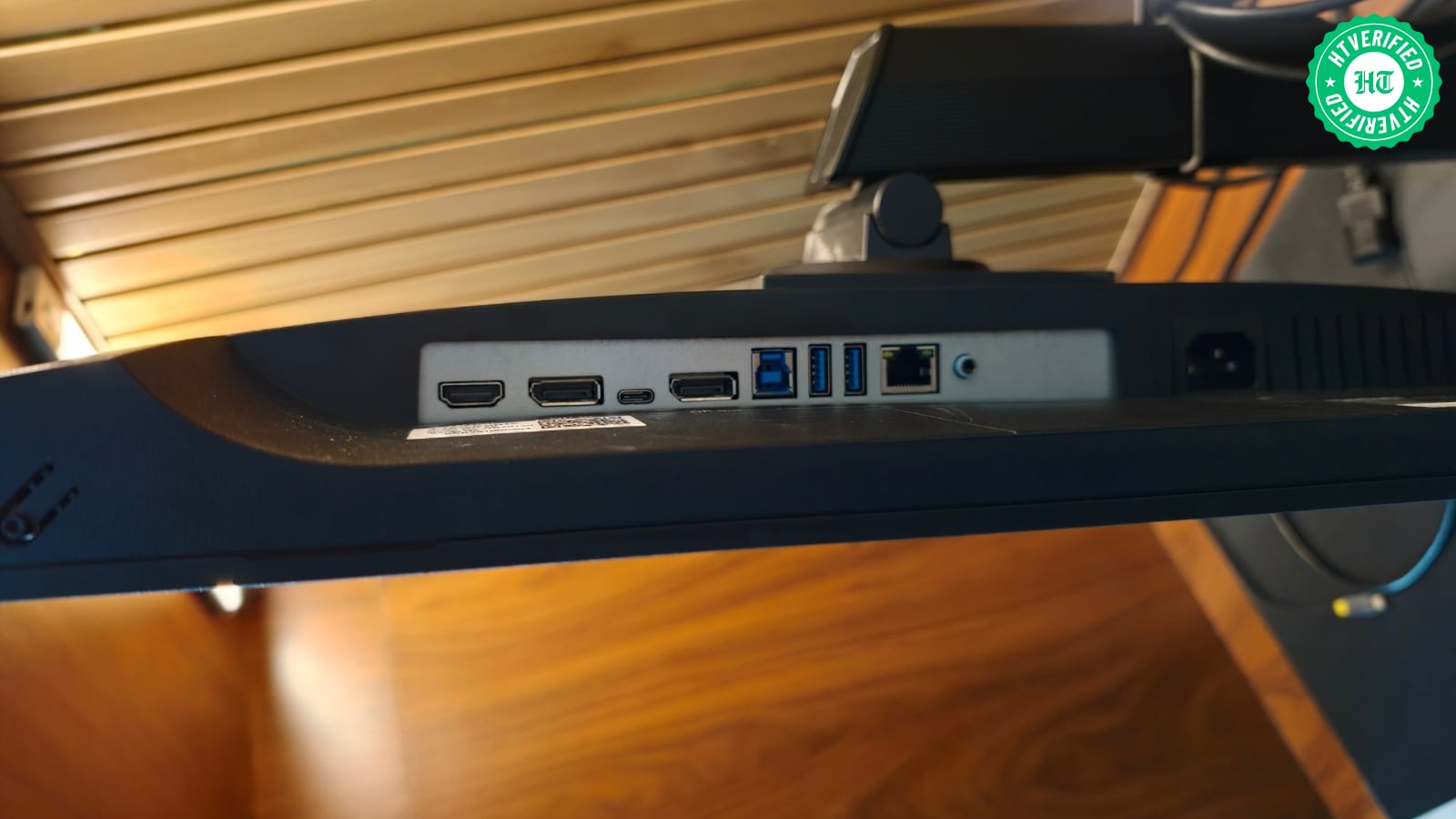
This setup makes the monitor a more useful workstation hub. You can connect a compatible laptop via USB Type-C, use the monitor as your primary display, and connect peripherals through the USB ports. The Ethernet port also provides a wired network connection for compatible setups.
The 65W Power Delivery output is especially useful for compatible laptops, letting the monitor carry the video signal and supply power through a single cable. This helps reduce cable clutter and makes the VG2709U-2K suitable for a cleaner desk setup.
Verdict:
I enjoyed using the ViewSonic VG2709U-2K over the month I spent with it. The 100Hz refresh rate made everyday work feel smoother, while its pleasing colours made watching anime and playing PS5 games equally enjoyable. The flexible stand and generous port selection also made it easy to integrate into my setup. However, pixelated text, fiddly controls and disappointing speakers made it a less straightforward recommendation. These flaws never overshadowed the positives, but they reminded me the monitor could be better. If you want a versatile screen for work and downtime, it's worth considering.
Monitor Evaluation:
Final Verdict: HT Verified Recommended (Scores Above 7.5 Qualify)
Overall score: 8.3 / 10
Pros
Vibrant colours and crisp 1440p visuals for everyday use and gaming.
100Hz refresh rate delivers smoother scrolling and window navigation.
The ergonomic stand supports height, tilt, swivel, and pivot adjustments.
HDMI connectivity lets MacBook users adjust key display settings without extra software.
Cons
Text can appear pixelated when connected to a MacBook over HDMI.
USB Type-C connection restricts HDR and 100Hz in the tested setup.
Built-in 2.5W speakers sound weak and shrill at high volumes.
The physical OSD buttons are hard to find and require firm presses.
Sony LinkBuds Clip Review: An open-ear surprise with lovely vocals and a fit that needs patience - HT Verified
Sony Bravia 3 II review: A picture-first TV that rarely puts a foot wrong
Haier P7 Pro Review: It has blockbuster ambitions, delivers the spectacle and leaves a few loose ends | HT Verified